Analytical Platform ingestion
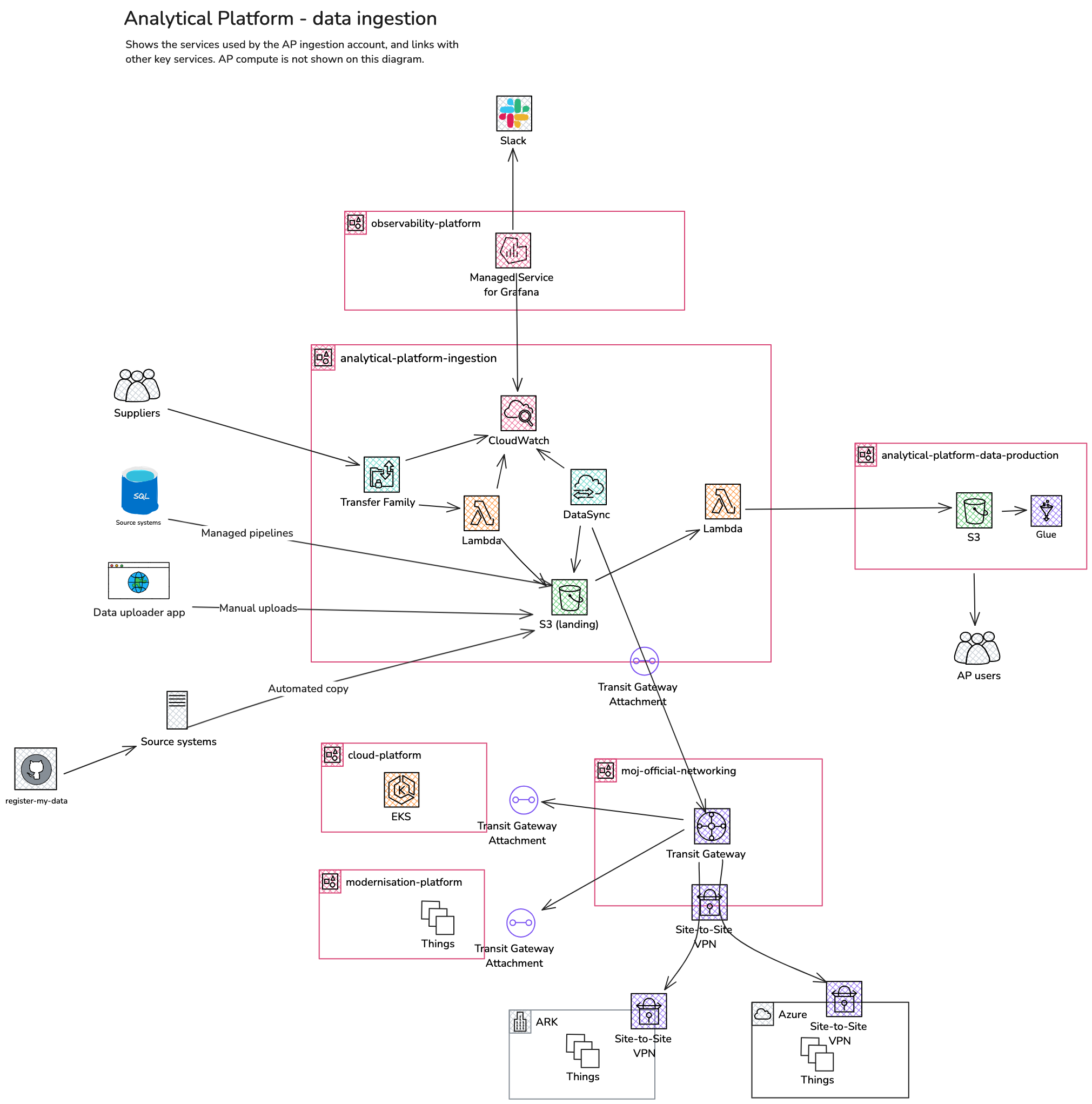
The AP offers a number of ways for users and data engineers to move data onto the platform. We collectively refer to these services as “ingestion”.
In general, ingested data will intially be transferred to “landing” S3 buckets, before being moved to “production” buckets from which users can access the data.
- Ingestion service (Secure FTP). A service managed by the AP team which allows external teams (suppliers) to transfer data from their services to the AP
- Register my data. This service is configured by YAML files in a GitHub repository. It allows users to configure an S3 location on the AP with write permissions, providing them with a way to automate data transfers to the AP.
- Data uploader. This is a web application which allows users to upload their own data to S3 without requiring the intervention of date engineers or AP support. Data is registered in Glue and is avaiable to query in Athena or other tooling via access to S3 buckets.
- Managed pipelines. The are managed by data engineers and transfer data from production operational systems such as NOMIS.
Ingestion service
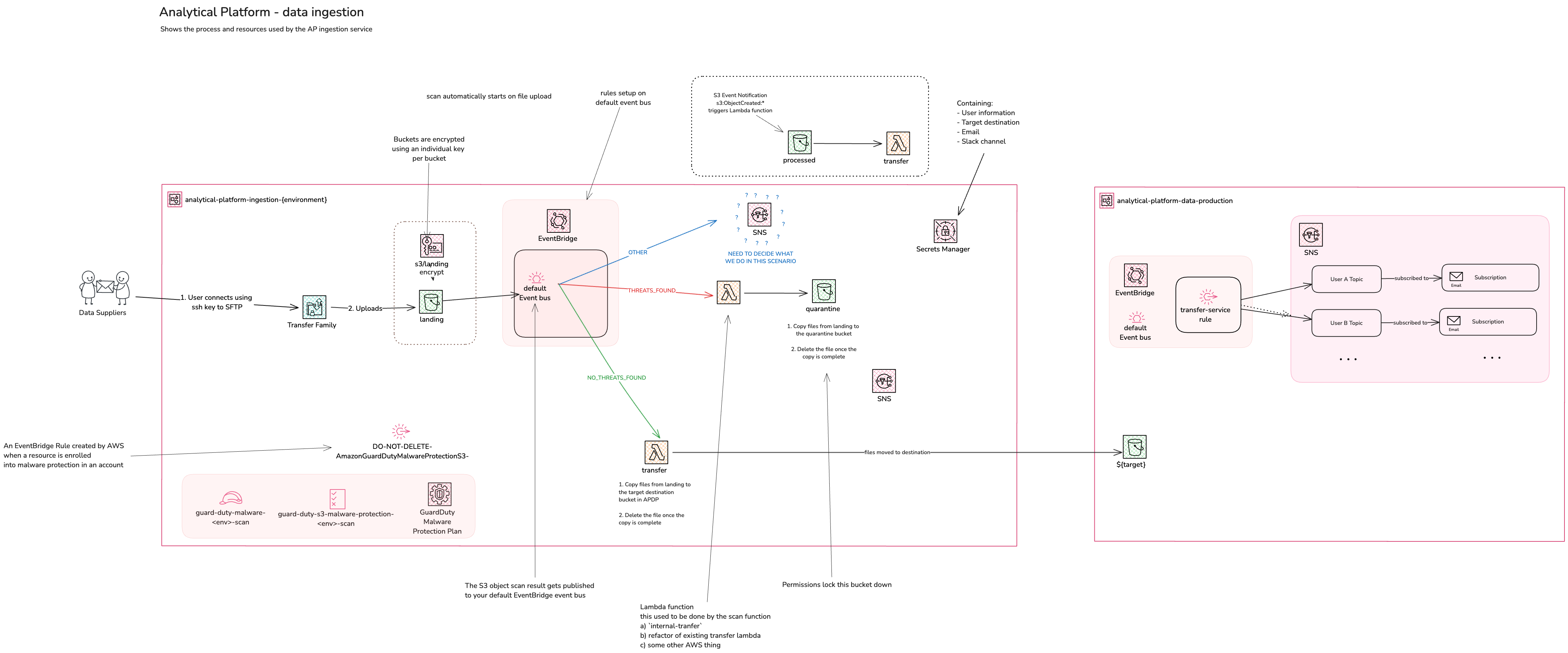
This service allows external providers of data a mechanism for copying data to the AP in a secure and safe way. In short:
- We use AWS transfer family to expose a secure FTP (SFTP) connection using SSH authentication
- Data uploaded via SFTP arrives in an encrypted S3 landing bucket
- AWS GuardDuty scans files in the landing bucket:
- Files with no threats identified trigger a lambda function to copy them to a destination bucket in the
data-productionaccount where they can be accessed for analysis - Files with threats identified are moved to a quarantine bucket
- In either scenario, files are removed from the landing bucket once one of the above operations completes
- Files with no threats identified trigger a lambda function to copy them to a destination bucket in the
- SNS topics are used to notify users of the various events
For runbooks and further technical information, please refer to our internal team pages:
- Maintenance
- Troubleshooting
- Adding a user
- Impersonating an AWS Transfer Family user
- Using the analytical-platform user
For user-facing guidance for the ingestion service, please refer to the guidance page
Ingestion service diagrams
This page was last reviewed on 17 February 2026.
It needs to be reviewed again on 17 August 2026
by the page owner #analytical-platform-notifications
.
This page was set to be reviewed before 17 August 2026
by the page owner #analytical-platform-notifications.
This might mean the content is out of date.